Thwonk Get the app

Features

Everything your house needs, in one calm place

What it has, what got done, and what it needs next. Here’s how Thwonk, the home maintenance tracker you share, keeps track of it all.

Getting started

A plan made for your house

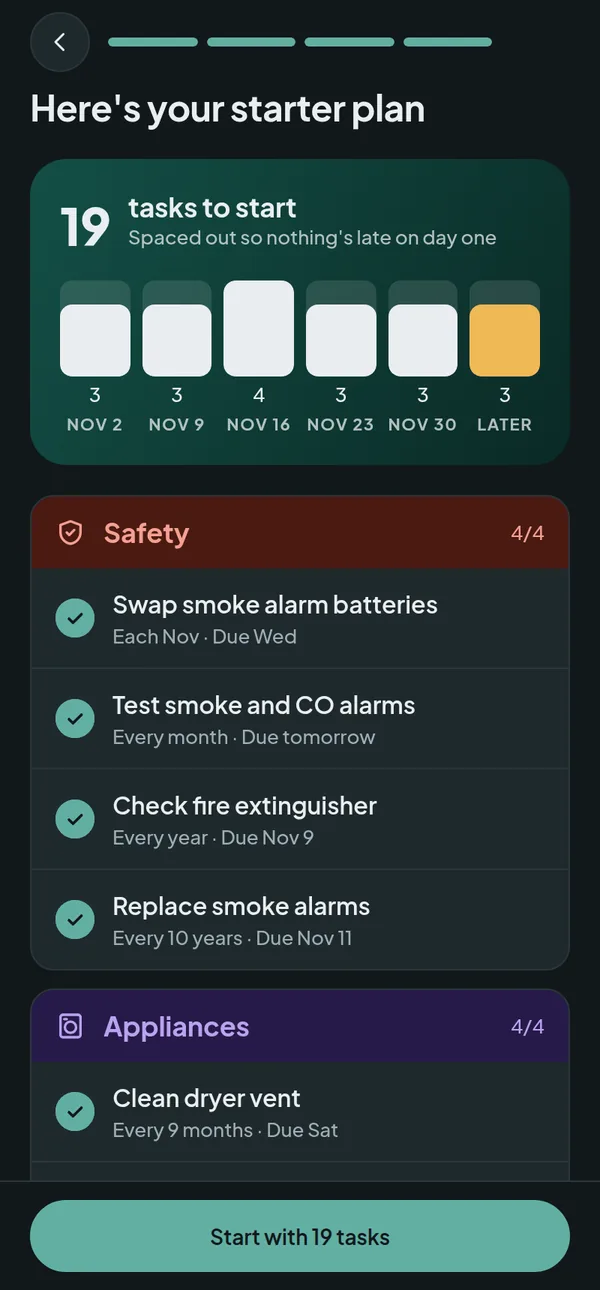
Answer a few quick questions and Thwonk builds a starter list of jobs that actually apply to your place.
  • Home type, age, postcode and climate shape what shows up and how often.
  • Tick the features you have: furnace, central air, gutters, basement, septic, well, fireplace, sprinklers, pool, pets.
  • Seasonal jobs land in the right months, whether you're in Toronto, Mexico City or Auckland.
  • First due dates are spread over a few weeks, so nothing's late on day one.
Starter plan with 19 tasks spread over the next few weeks

Home tab

Know what's due at a glance

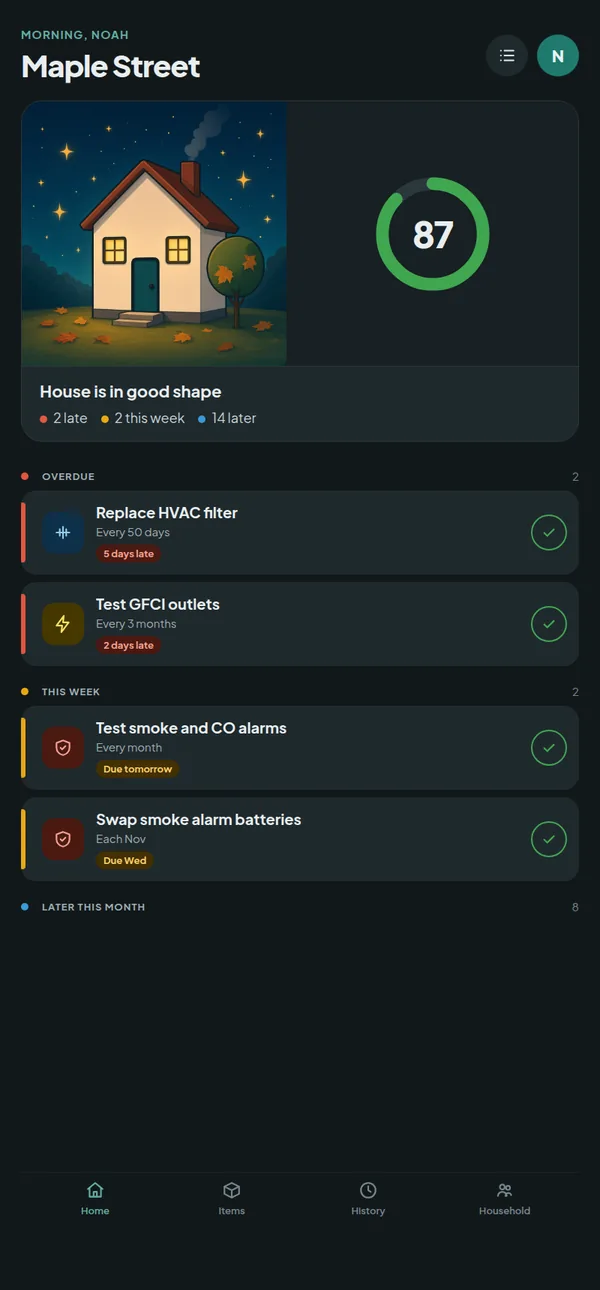
Everything sorted into overdue, this week, later this month and seasonal, with a health score that sums it up.
  • Swipe right to mark a job done, left to snooze it a day, a weekend, a week or a month.
  • Forgot to log something? Pick yesterday or any past date, and add a note, a cost or who did it.
  • Color-coded rows and category icons, so you can read the list from across the room.
  • Add your own jobs, repeating every few days, months or years.
Home tab with a seasonal cottage, a health score of 87, two overdue jobs and two due this week

Items

Every appliance on record

The fridge, the water heater, the furnace and the rest, with the details you always have to go hunting for.
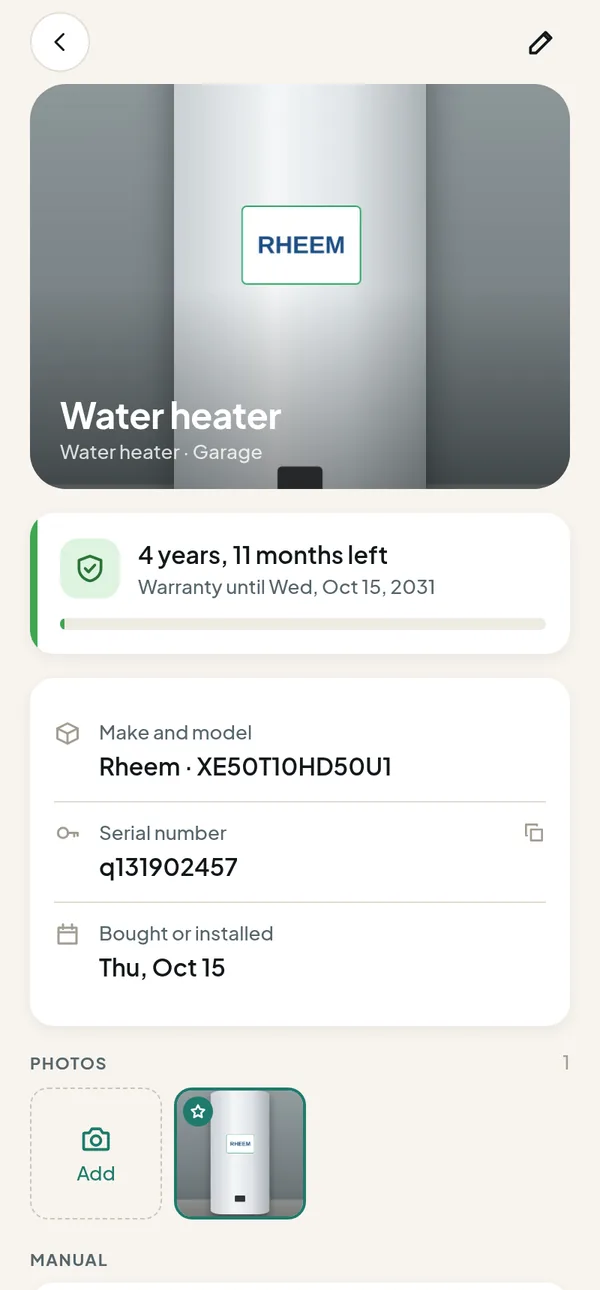
  • Photos, brand, model, serial number, room and purchase date.
  • Warranty countdowns, with a heads-up when one is about to run out.
  • Keep the manual as a PDF or a photo, right next to the thing it belongs to.
  • Link jobs to items, and see each item’s full service history.
Water heater page with photo, warranty countdown, model and serial number

Quick capture

Snap now, fill in later

Walk around with the camera and snap one thing after another. Each photo becomes a draft.
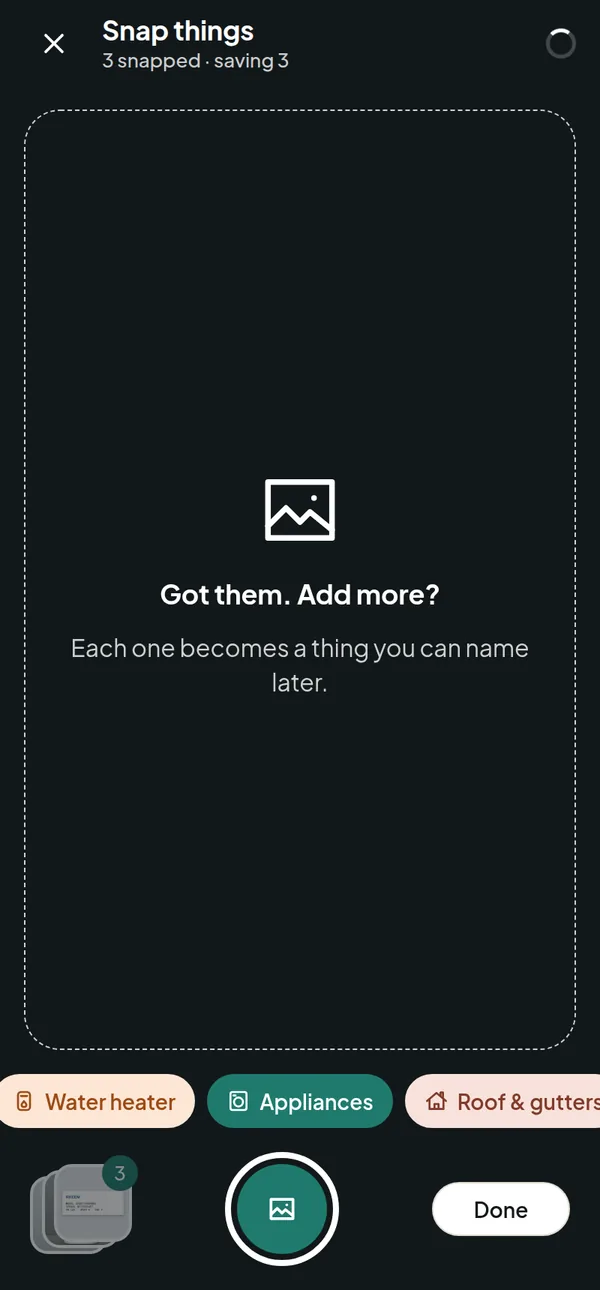
  • Pick a category chip as you go, or leave it for later.
  • An “N need details” chip on the Items tab walks you through the drafts one by one.
  • Built so you can get five things on record in under half a minute.
Camera burst mode with three things snapped and category chips

Household

Share the jobs at home

Invite a partner or housemate. Everyone sees the same plan, items and history.
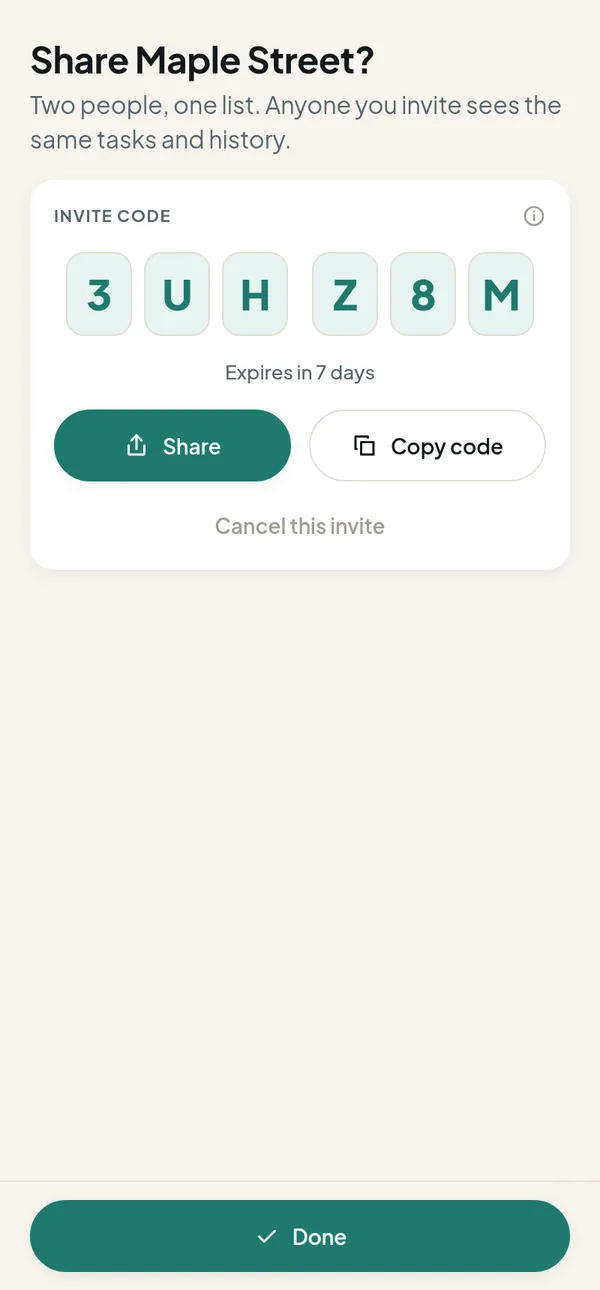
  • A six-character code or a link, good for 7 days and single use.
  • Assign a job to a person, or leave it open for whoever gets to it.
  • Reminders go to whoever a job is assigned to, or to everyone when it's open.
  • One subscription covers the whole home.
Invite screen showing a six-character code to share Maple Street

History and export

Hand a buyer the full story

Every finished job lands in your history: recurring chores and one-off repairs alike.
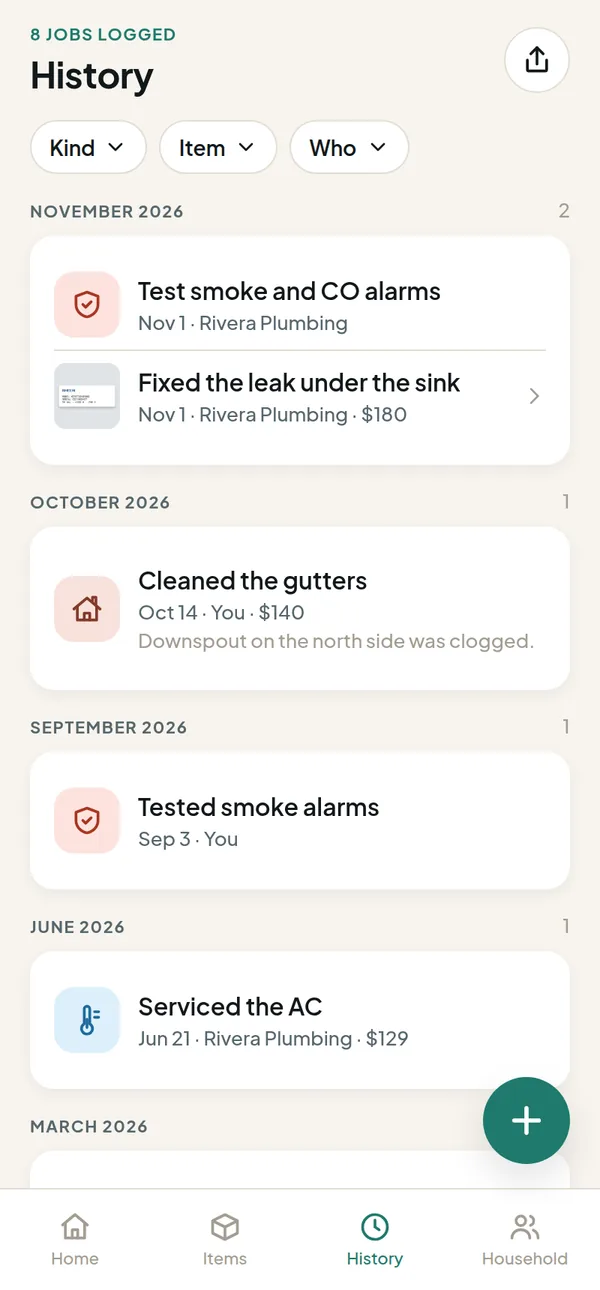
  • Filter by kind of job, by appliance or by who did it.
  • Export a tidy PDF for buyers, grouped by month, with photos if you like.
  • Or take a CSV spreadsheet with every row.
  • All time or just this year. Exports are made on your phone.
History tab grouped by month with costs and who did each job

And the little things

Small touches that add up

Gentle reminders

At most one notification a day, at the time you pick. Quiet hours and your time zone are respected.

A weekly digest

Pick a day and get the week ahead in one go, instead of a drip of pings.

Email, if you want it

Off by default. Turn it on for a weekly digest and one nudge when something slips. One-click unsubscribe.

Your pros

Name, trade, phone, email and notes for the people you call. Tap to call, and log the work they did.

Costs, roughly

Jot down what a job cost. No budgeting, just enough to remember next time.

Works offline

Your home stays readable without a signal. Jobs you mark done sync when you're back.

Light and dark

Follows your phone’s setting, and looks good either way.

English and Spanish

The app follows the language on your phone. Anything else falls back to English.

Private by default

No ads, no analytics, no tracking. A home is visible only to the people in it.

Try it on your own house

30 days free, no card needed. One Thwonk plan after that, and help if you get stuck.

Coming soon toApp StoreComing soon toGoogle PlayJoin Beta Test